Getting Started: Docker to First Request in 3 Minutes
VoidLLM ships as a single binary with the entire admin UI embedded. No separate frontend server, no Node.js, no extra containers. Here’s what the experience looks like.
Start the proxy
docker run -p 8080:8080 \
  -v voidllm_data:/data \
  -e VOIDLLM_ENCRYPTION_KEY=$(openssl rand -base64 32) \
  -e VOIDLLM_ADMIN_KEY=my-admin-key-at-least-32-chars!! \
  ghcr.io/voidmind-io/voidllm:latest
The -v voidllm_data:/data mount keeps your SQLite database across container restarts. Without it, you’d lose all users, keys, and usage data when the container stops.
On first start, VoidLLM bootstraps an admin user and prints your credentials to stdout:
========================================
 BOOTSTRAP COMPLETE - COPY THESE NOW
========================================
  API Key:    vl_uk_a3f2...
  Email:      admin@voidllm.local
  Password:   <random>
========================================
Save these - they’re shown once. The email and password are for logging into the UI. The API key (vl_uk_...) is for SDK calls and MCP connections. Open http://localhost:8080 and log in.
The dashboard
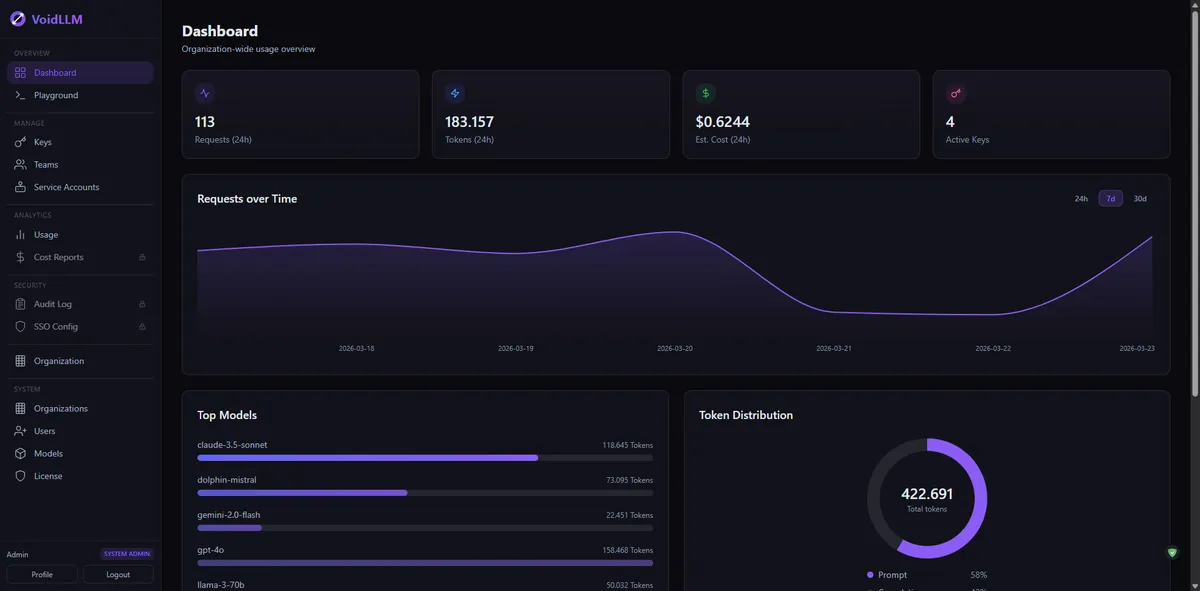
The dashboard adapts to your role. Org admins see org-wide stats - request counts, token usage, active models, and budget consumption. Team members see only their own usage.
API key management
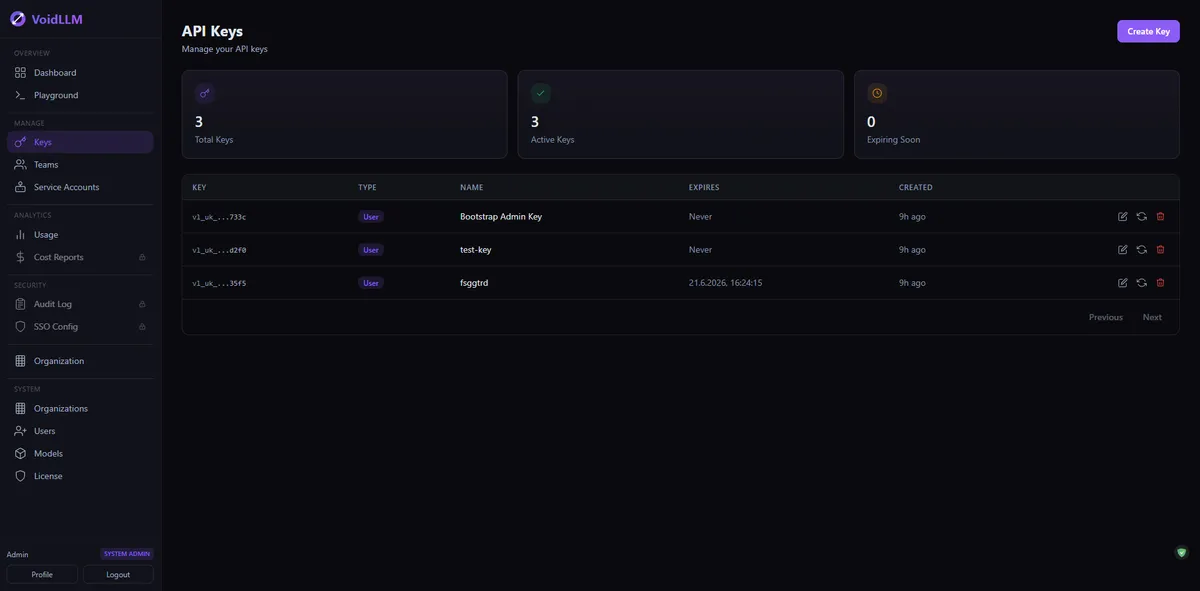
Create user keys, team keys, or service account keys. Each key is shown once at creation (plaintext), then stored as a HMAC-SHA256 hash. Set expiration dates, daily/monthly token limits, and rate limits per key.
Send your first request
Point any OpenAI-compatible SDK at VoidLLM:
curl http://localhost:8080/v1/chat/completions \
  -H "Authorization: Bearer vl_uk_your_key_here" \
  -H "Content-Type: application/json" \
  -d '{"model": "default", "messages": [{"role": "user", "content": "hello"}]}'
VoidLLM resolves default to whatever model you’ve configured with that alias, forwards the request to the upstream provider, and streams the response back. Under 500 microseconds of overhead - see our benchmark numbers.
Playground
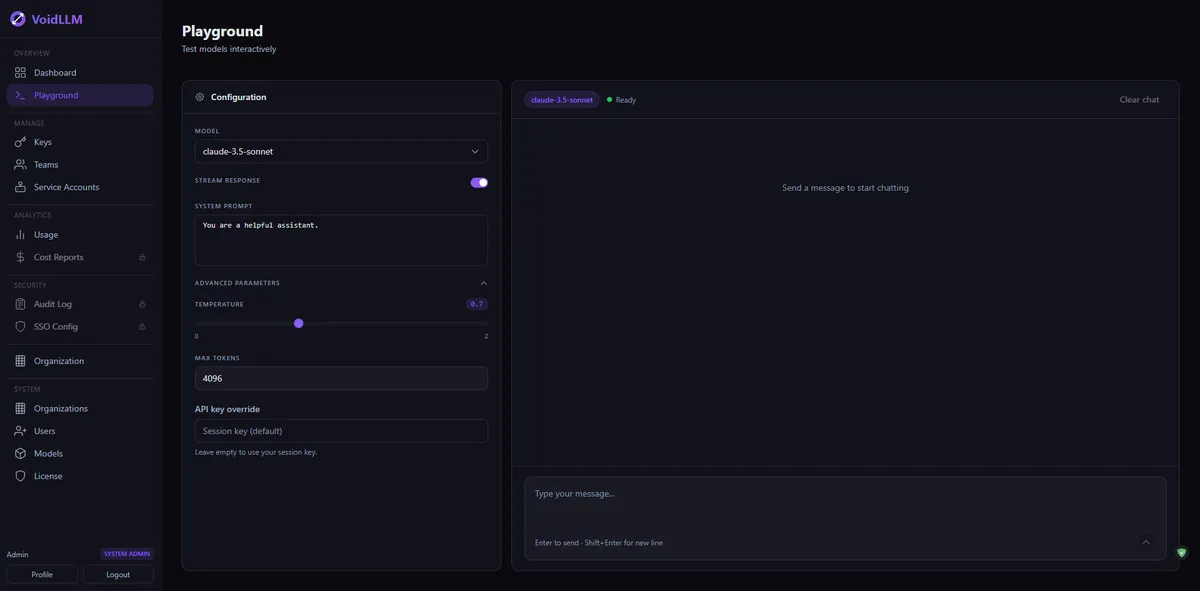
Test your models directly in the browser. The playground supports chat and embedding models, streaming, and lets you switch between models instantly.
Usage tracking
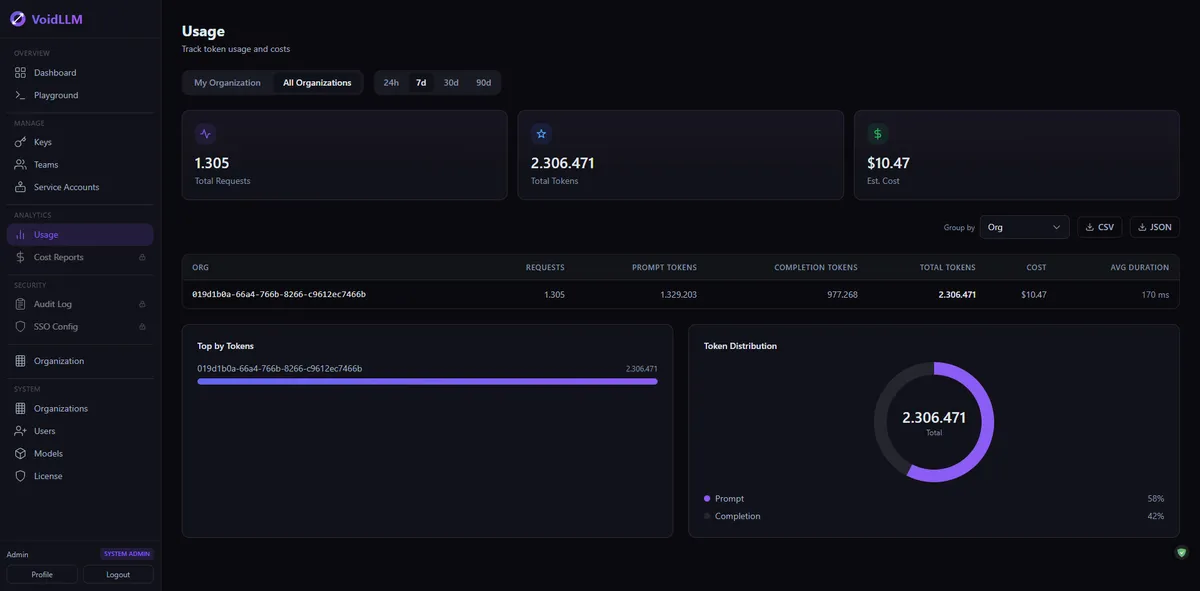
Every request is tracked: tokens, cost, duration, model, and which key made the call. Filter by time range, group by team or model. All of this happens async - the usage logger never blocks the proxy hot path.
💡What's not shown here
VoidLLM also has team management, org settings, model access control, MCP server configuration, and a license page. All built-in, no extra setup.
What’s next
Once you’re running, you might want to:
- Add more models via YAML config, Admin API, or the UI
- Set up MCP servers for AI tool access
- Enable Code Mode for multi-tool orchestration
- Connect Claude Code or Cursor via the built-in MCP endpoint
The GitHub repo has full documentation in the docs/ directory.